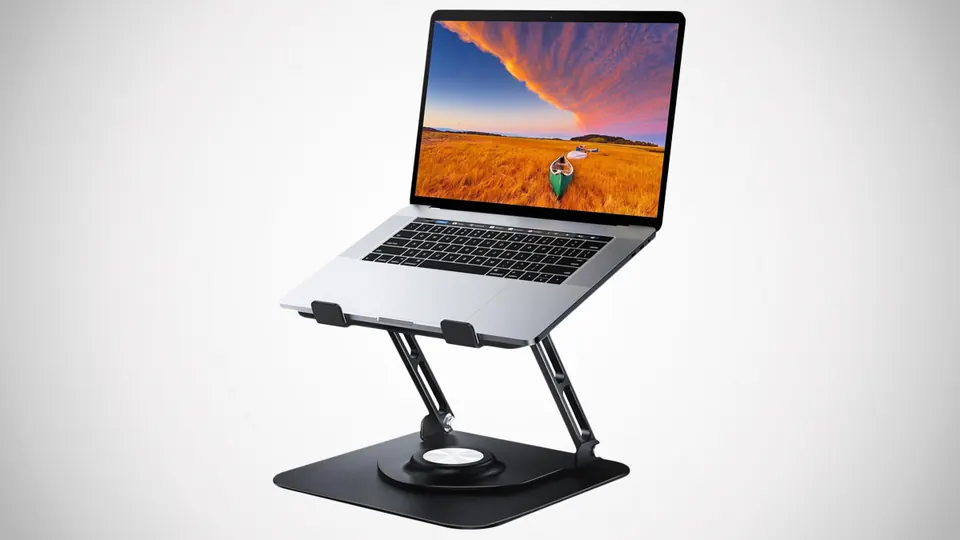
Overview
This aluminum-alloy stand raises, tilts and rotates a laptop, then folds for storage. The source lists compatibility with 10- to 16-inch devices and an eleven-pound load limit. The key idea is separating the screen’s position from the height of the table, giving you more choices when arranging a compact or temporary workspace.
Where it fits
It could be useful on a shared desk, a small home workstation or a table that returns to other purposes after work. Think about the complete arrangement, including the screen, keyboard, pointing device and cables. An elevated laptop is most convenient when your hands still have a comfortable, stable place to work.
Buying checks
Compare your laptop’s dimensions and weight with the exact stand specification. Check the support lips, ventilation clearance and surface contact points. Confirm the height range and folded dimensions, and consider whether the rotation mechanism can hold its position during use. Inspect all adjustments before placing the computer on the stand.
Our take
We would choose a stand by fit and stability first, then by how easily it packs away. The adjustable form is appealing when the same laptop moves between different working arrangements. Avoid expecting an accessory alone to determine comfort; make sure the whole desk setup suits the person and the tasks. The right stand should make that arrangement simpler to repeat.



Discussion 0
Be the first to share a useful thought about this find.